
Everyday usage · 2/10
Attendance Cards
An attendance card is a single attendance record: the type, the arrival time, the leave time and a note. A card is shown next to the tiles on the main screen. Here you can read it, correct it or delete it. In this chapter you learn who may do what, what the warnings mean, and how to record attendance retroactively for several days.
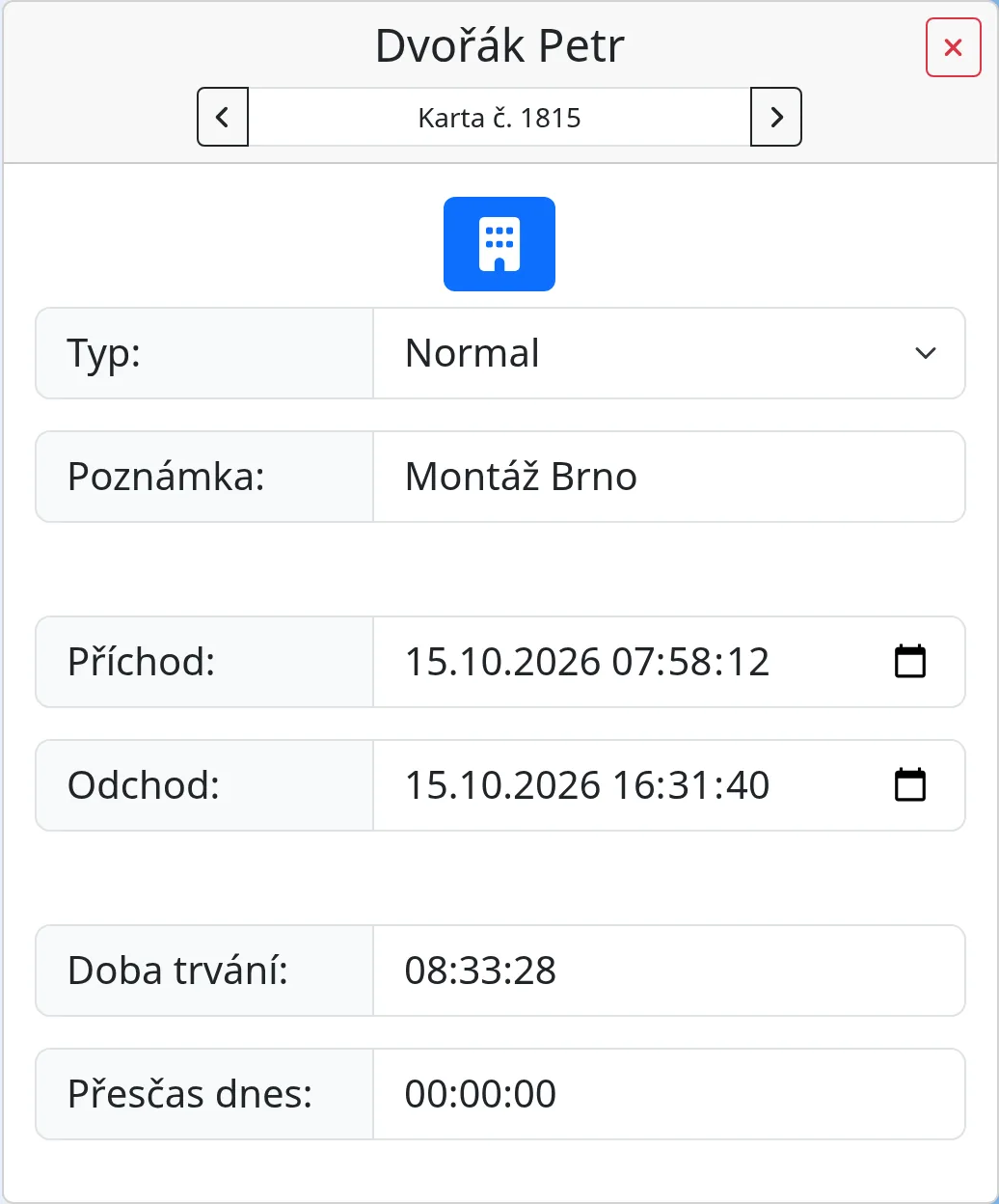
Opening a card
You open a card by:
- tapping a red tile with an exclamation mark (the unclosed card opens),
- looking at the new or changed card that appears after every action on a tile,
- clicking the magnifier icon in the list Reporty → “Všechny příchody” (Reports → All arrivals),
- clicking the magnifier next to a day in the monthly sheet,
- clicking the card number in History.
A card is shown only to those who may see the employee: an employee sees their own cards, a manager the cards of their subordinates, an administrator all of them. If you open it without a number, the last card you are allowed to see is shown.
What a card contains
- Name and card number with previous / next arrows. The arrows page through the cards you may see.
- Active. A green badge means the card has no leave yet.
- Type. A drop-down list of types.
- Note.
- Arrival and Leave. Date and time down to the second. An empty leave means the card is open.
- Duration. Calculated from the arrival and the leave.
- Overtime today. The overtime of that day, if overtime is on.
- A red warning at the top, if there is one.
Editing a card
- Open the card.
- Change the type, the note, the arrival or the leave. The change is saved as soon as you leave the field.
- The system recalculates the overtime of later days and checks the warnings again.
The system does not accept an arrival later than the leave or a leave earlier than the arrival. If you clear the leave field, the card becomes active again. Every field change is written to History with the original and the new value.
Who may edit or delete
- An administrator always.
- An employee their own card, unless “Card editable by boss only” is on.
- A manager the cards of their subordinates (including their subordinates' subordinates).
- If “Card editable by boss only” is on, an employee can only read the card and the fields are inactive.
To delete, click the red cross at the top right of the card and confirm “Are you sure you want to delete this card?”. The deletion is written to History. A deleted card cannot be restored.
Warnings
Warnings are red bars in the card and red rows in the sheet.
- Unclosed attendance! A card from an earlier day has no leave. Fill in the leave time.
- This card is being overlapped by another card! The warning contains a link to the other card. Fix the times or delete one card. Breaks do not count towards the overlap.
- Arrival date and leave date are not equals! The leave is on a different day. If the employee works past midnight, tick “Night shifts” in their profile and the warning disappears.
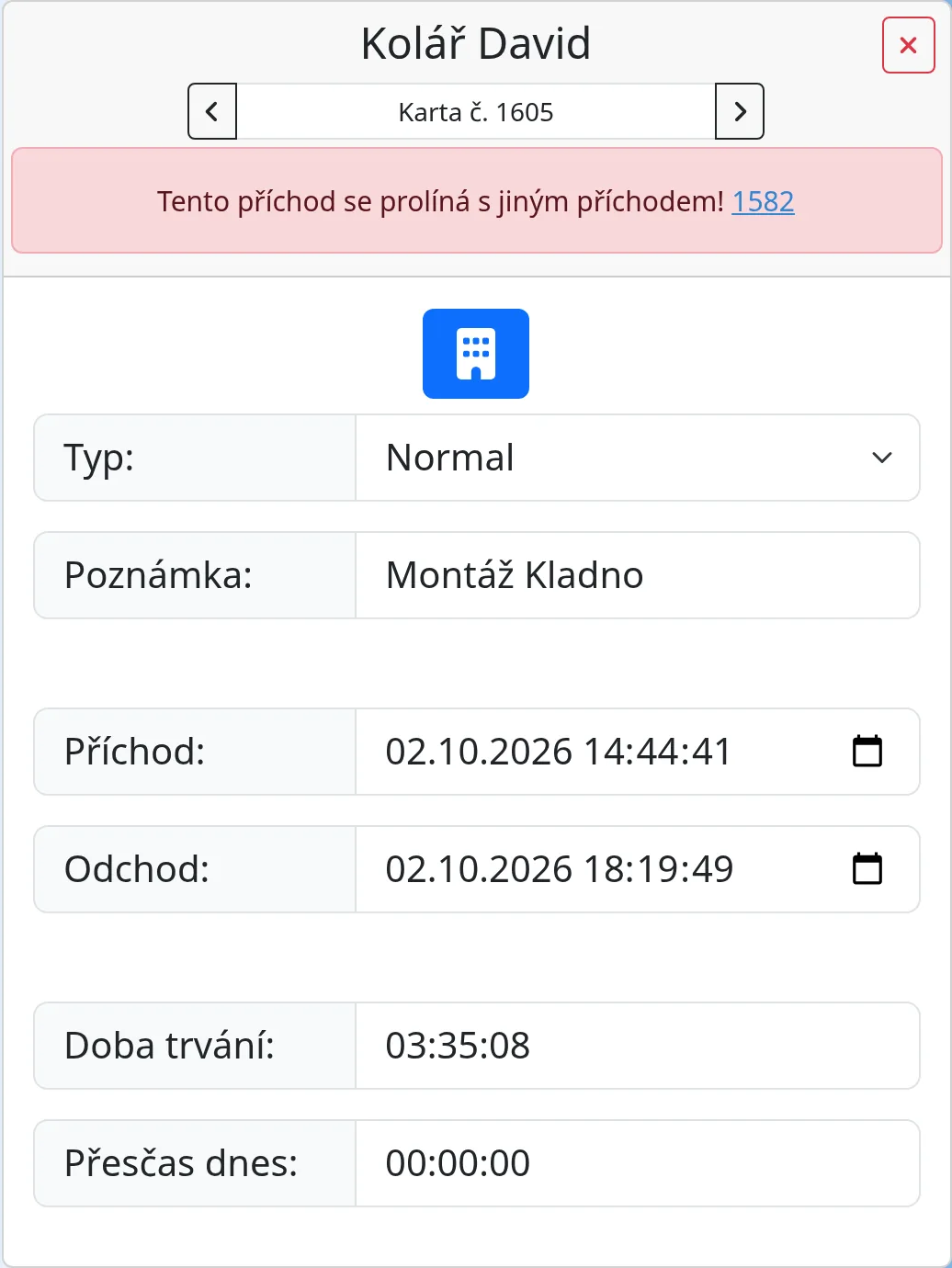
Warnings are recalculated after every change to a card and again every five minutes for cards from the last three months.
Entering arrivals manually
If someone forgot to record their attendance, or you are planning vacation ahead, use “Zadat příchod/y” (Enter arrivals) in the top bar. The item is available to everyone who is not a Dummy. It opens the dialog “Create new arrival / set of arrivals (vacation, illness...)”.
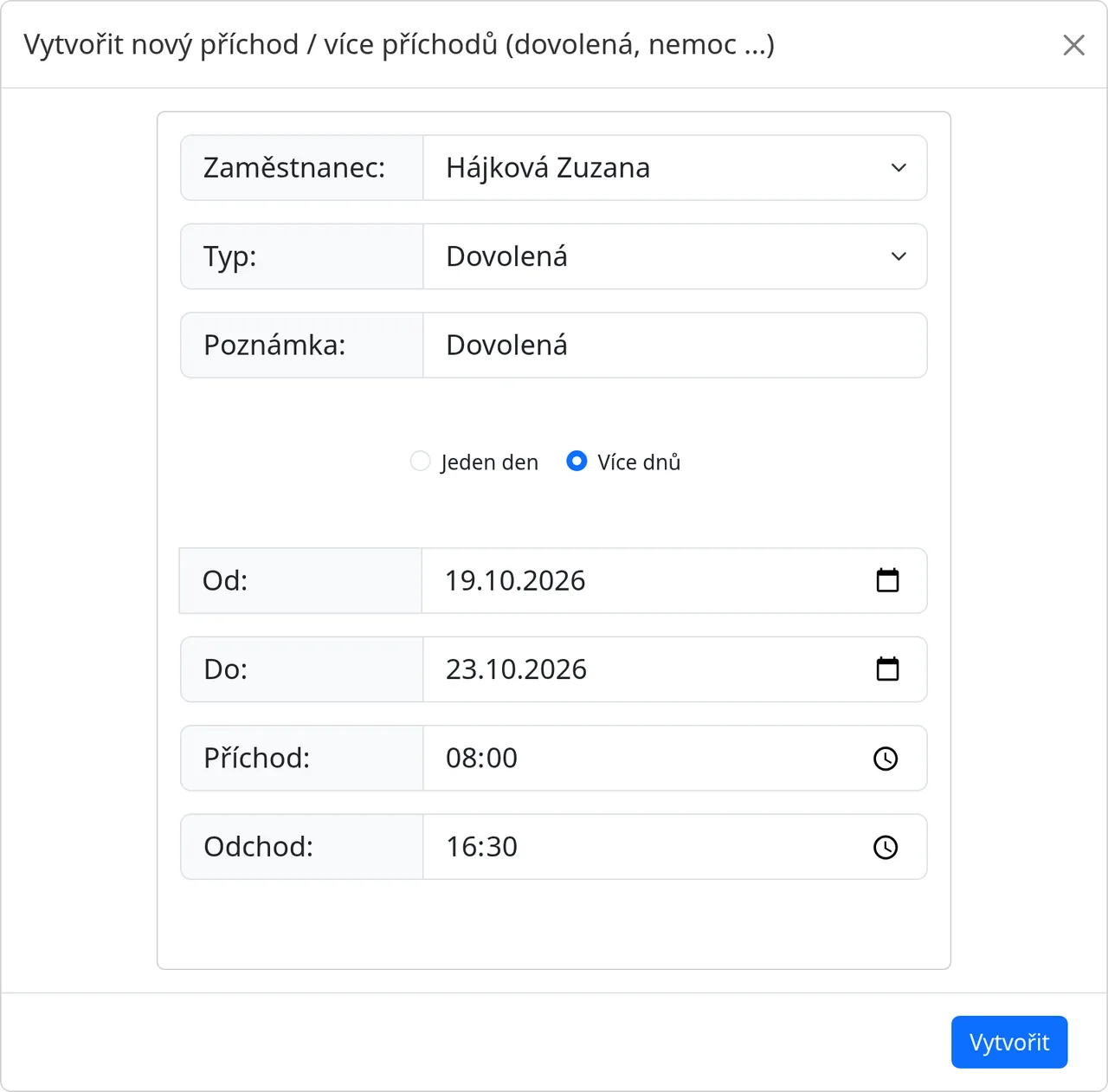
- Choose the Employee. A regular employee sees only themselves, a manager themselves and their subordinates, an administrator everyone.
- Choose the Type. The default is Vacation.
- Fill in a Note if needed.
- Choose One day or More days.
- For one day, enter the Date. For more days, enter From and To.
- Fill in the Arrival and Leave times. The work time of the signed-in employee is pre-filled.
- Click “Create”.
For more days, the system behaves as follows:
- It skips weekends and public holidays. It shows the messages “Skipped weekend: …” and “Skipped holiday date: …”.
- For each other day, it creates one card and shows the message “Created arrival …”.
- If you choose One day, weekends and holidays are not skipped.
Every created card is written to History. After creation, the last of the new cards is shown.
Tips
- The Arrival and Leave fields go down to the second. When correcting, you do not need to worry about the seconds.
- You can record a whole week of vacation at once with the “More days” option.
Common problems
- The card cannot be edited. “Card editable by boss only” is probably on and you are not the manager.
- The arrows do not show another card. There are no more cards visible to you.